How it works
Paste. Pick. Print.
There are three steps and none of them involve a rate table, an account number or a spreadsheet. Here is exactly what happens at each one.
1
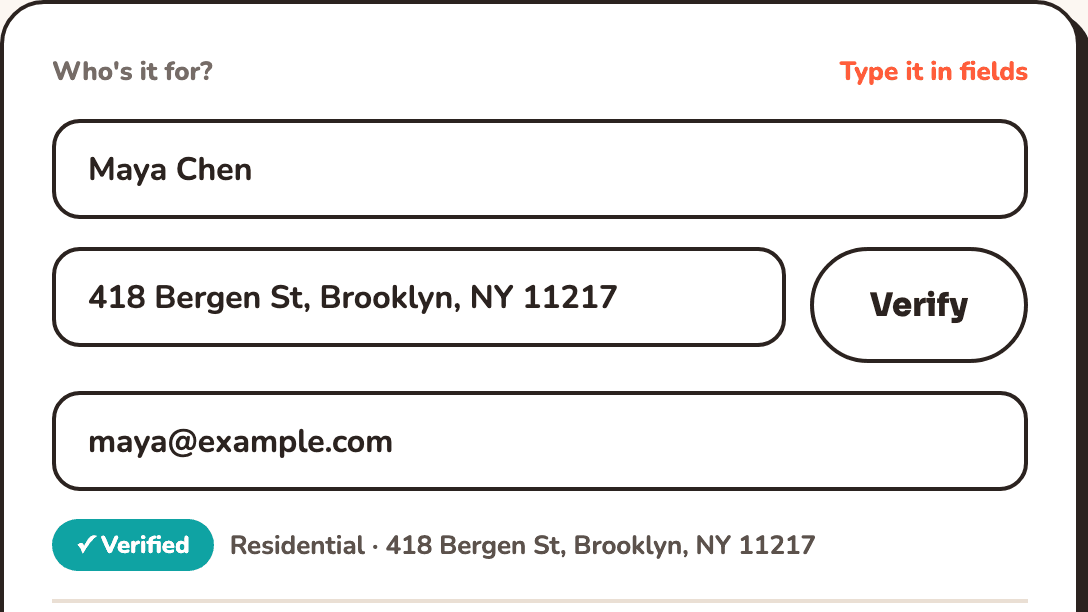
Paste the address
- Drop in the whole address from an email or an order, on one line. We split it into street, city, state and ZIP.
- It gets verified against the carrier's own database, corrected where it is wrong, and flagged as residential or commercial before that difference costs you a surcharge.
- Shipping abroad? Pick the country and a customs declaration opens with the fields the destination actually requires.
2
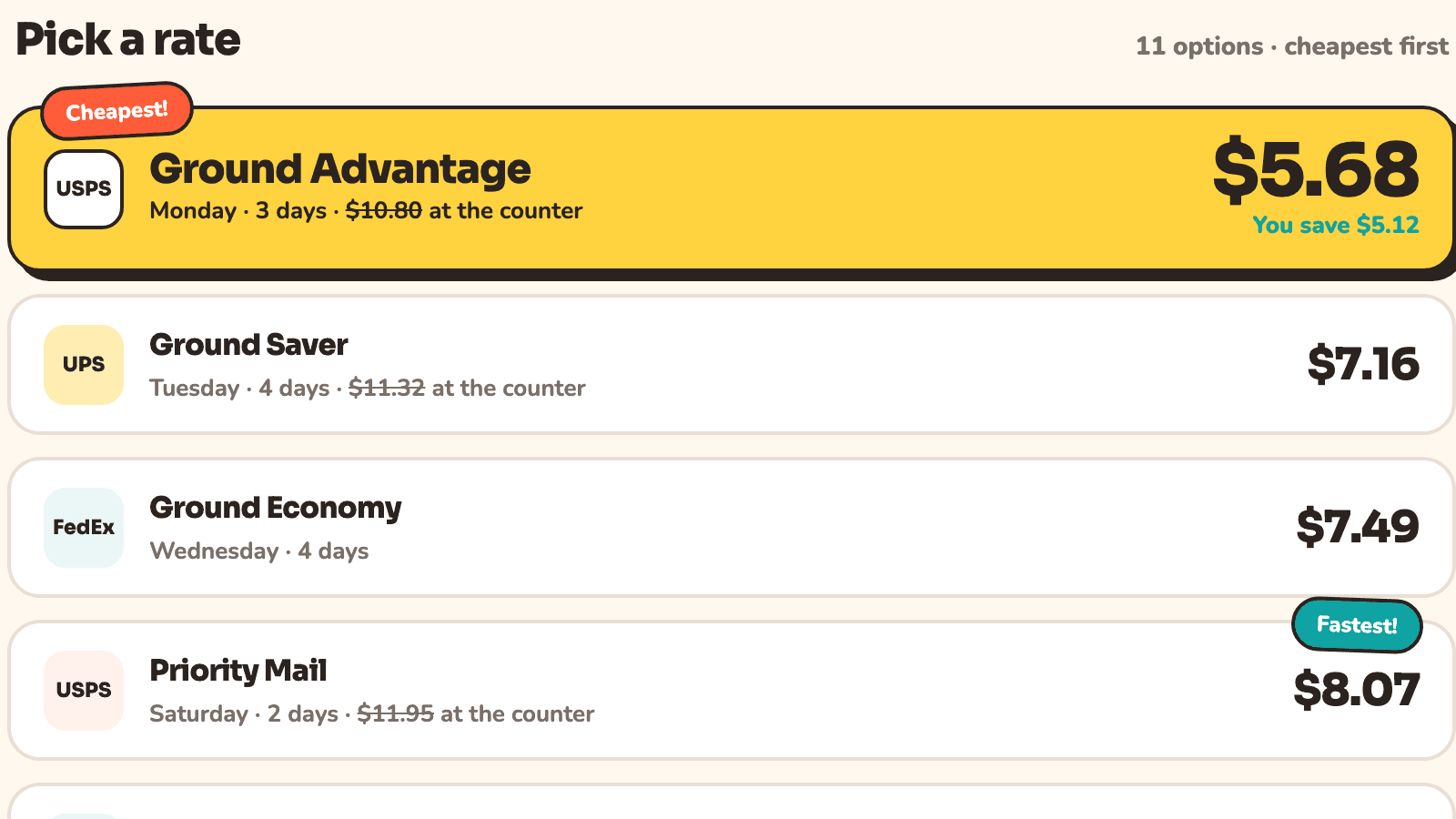
Pick a rate
- Every USPS, UPS, FedEx and DHL service for your package appears on one list, cheapest first, with the retail counter price crossed out beside ours.
- Each rate shows when it should arrive and how confident that estimate is, based on how that service has actually performed between those two ZIP codes.
- Add signature, insurance or Saturday delivery and the whole list reprices, so you never discover an extra after you have committed.
3
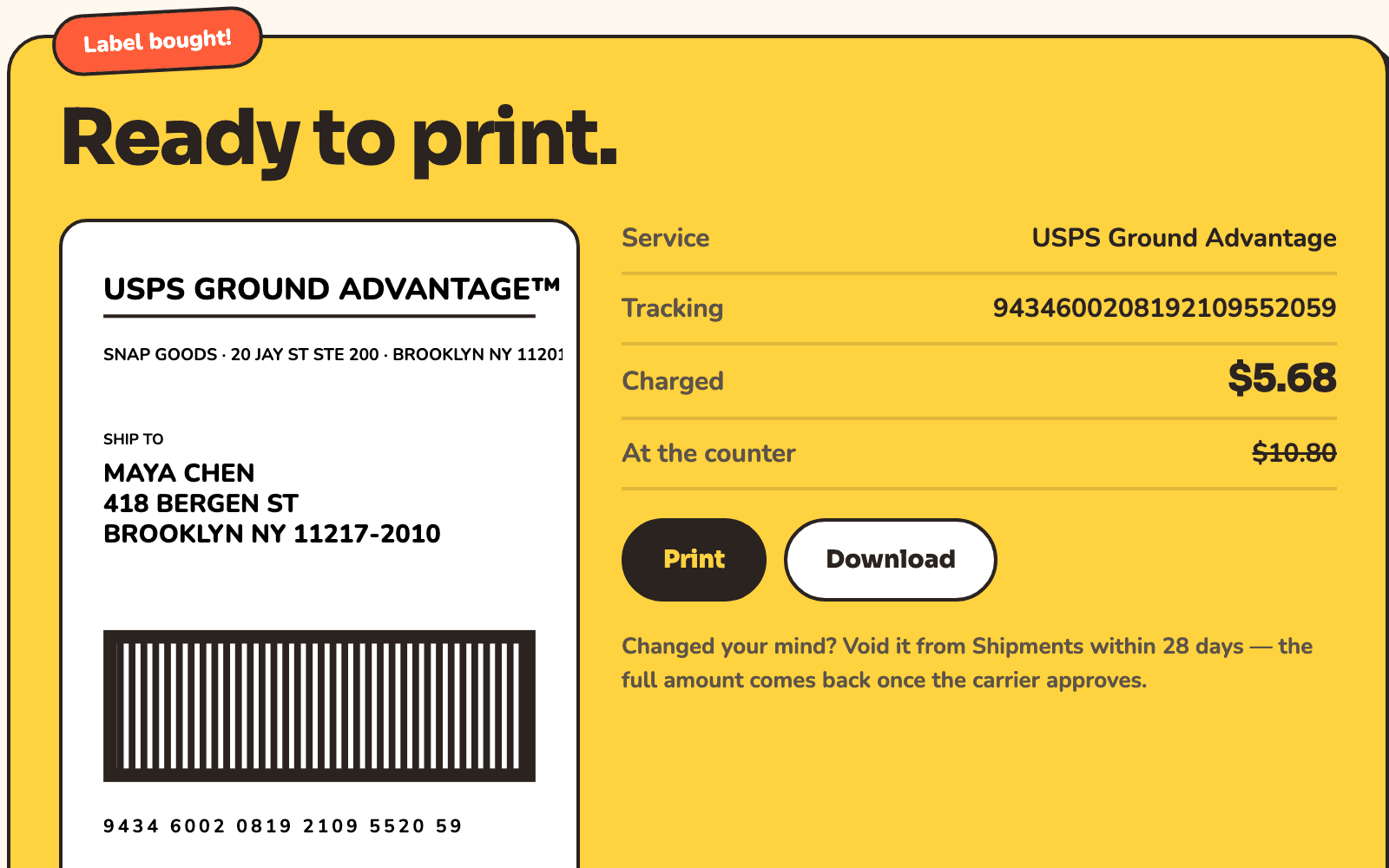
Print and hand it over
- The label opens the moment you buy it, as a 4 by 6 thermal label or on plain letter paper, whichever you set as your default.
- Your card is charged once for that label, or once for a whole batch, and a receipt lands in your inbox.
- Drop it off, or book a pickup and let the driver come to you.
After the label
The part most tools leave to you.
Tracking, without asking
The carrier's scans arrive by webhook. Your customer gets a branded tracking page and, if you want, an email when the package ships, goes out for delivery and arrives.
Batch when the orders pile up
Import a CSV of orders, rate all of them at once, buy every label in a single charge, and print them as one merged PDF.
Manifests and pickups
Hand the driver one scan sheet instead of waiting for each parcel, or book a collection so you never queue at the counter.
Voids and claims
Void an unused label for a full refund. File an insurance claim on an insured one without leaving the app.